
How to Check If a Phone Number Is on Telegram: Three Methods Compared
Compare the Telegram app, client-API scripts and a registration check service for finding out whether a phone number has a Telegram account.
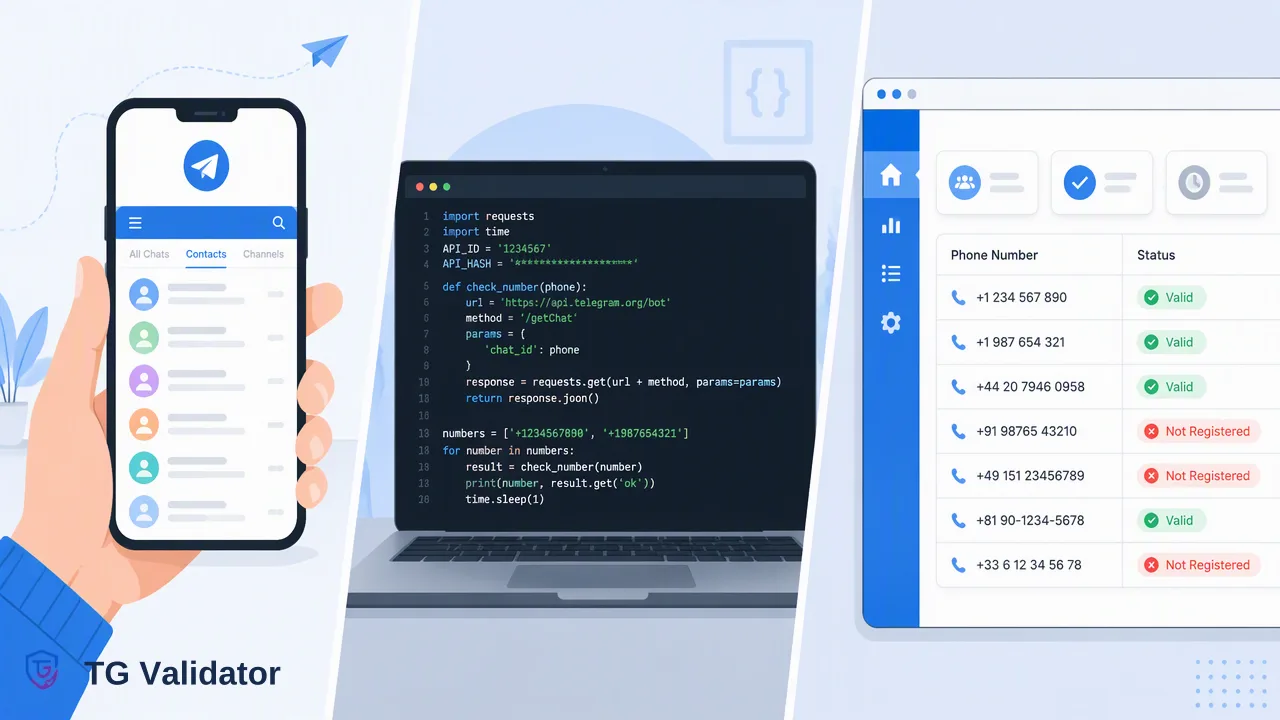
Three practical ways to check if a phone number is on Telegram, with the trade-offs each one brings for teams working with contact records.
To check if a phone number is on Telegram, you can save it as a contact in the Telegram app, run a script against Telegram's client API with your own account, or submit the number to a registration check service. The app works for one or two personal contacts, scripts suit developers who accept account and maintenance risk, and a check service fits teams that need repeatable answers for business records. Whichever route you take, the answer describes Telegram registration at the moment of the check and nothing more.
Three ways to check if a phone number is on Telegram
Most guides on this question list one method and stop. For a team, the useful question is which method fits the volume, the people involved and the records you keep afterwards. The table below compares the three routes that are commonly used.
| Method | Who runs it | Practical volume | What you learn | Main trade-off |
|---|---|---|---|---|
| Save as a contact in the Telegram app | Any Telegram user | A handful of numbers | Whether the contact shows up as a Telegram user, subject to that person's privacy choices | Uses a personal account and address book; no audit trail |
| Script on the Telegram client API | A developer with a Telegram account and API credentials | Depends on the account and Telegram's terms | Whatever the client API returns to that account | Account restrictions, credential handling and ongoing maintenance |
| Registration check service (for example TG Validator) | Operations staff in a dashboard, or a backend through a REST API | One number up to large files | A Telegram registration status for the submitted number at check time | A paid service with its own input rules and usage controls |
The rest of this guide walks through each method, then covers input formatting, how to read results and the mistakes that cause the most rework.
Method 1: Save the number as a contact in the Telegram app
This is the route Telegram itself supports for individuals:
- Save the phone number in your device's address book, including the country code.
- Open Telegram and let it sync contacts, or add the contact from inside the app.
- Look for the person in your Telegram contact list. If they appear as a Telegram user, the number is linked to an account you can see.
Telegram's own FAQ explains that phone-number visibility and the t.me/+ phone links depend on the account holder's privacy settings, so what you see in the app reflects what that person allows, not a neutral lookup.
This method is fine for checking whether a colleague or friend uses Telegram. It does not suit business lists: every check adds an entry to a personal address book, it ties company data to an employee's account, and nothing is logged for later review.
Method 2: Scripts built on the Telegram client API
Developers often find open-source checkers that wrap Telegram's client API. These scripts log in as a normal Telegram user and import numbers as contacts.
What this involves, according to Telegram's documentation:
- Credentials. You need an api_id and api_hash from my.telegram.org, and Telegram states that each phone number can be linked to only one api_id (Obtaining api_id).
- A user account, not a bot. The contact import method is documented as available to users only (contacts.importContacts), so the script runs on a real account.
- Terms of service. Telegram notes that accounts using unofficial clients are placed under observation and that flooding or spamming through the API can lead to a permanent ban.
For a one-off research task this can be acceptable. For a recurring business process, teams take on credential storage, library updates, the risk of losing the account that runs the script, and the question of whose personal account holds imported company contacts.
Method 3: A registration check service
A registration check service separates the check from any personal Telegram account. TG Validator offers two same-response ways to do this:
Dashboard workflow
- Single Check takes one number and shows its Telegram registration status on screen.
- Batch Check accepts up to 500 pasted numbers per run and returns the results in the same session.
- Each run appears in check history and usage reports, which gives operations and compliance staff something to review later.
API workflow
POST /api/v1/checkaccepts one phone number in E.164 format, authenticated with anX-API-Keyheader, and returns the result in the same response.POST /api/v1/batch-checkaccepts up to 100 numbers per request, again in the same response.- The current API documentation describes per-user concurrency and timeout behavior; design retries around those documented controls rather than an assumed per-minute limit.
Lists far beyond a pasted batch can go to a separate asynchronous bulk task: upload a TXT or CSV file with one entry per line, wait for the task to finish, then download a single result file. Per-product limits apply, so check the current documentation before preparing a large file.
How to read a Telegram registration check result
A completed check reports whether the submitted number was registered on Telegram when it was checked. Treat that as an account-presence signal at check time: it helps decide which records may be reachable on Telegram and which belong in another channel or review queue.
Three practical rules:
- Keep three states, not two. A completed check gives a yes or no. A check that cannot be decided returns a non-zero business code and no completed result. Store it as "unresolved" instead of folding it into "not on Telegram", then retry later or review it by hand.
- Record the check date. People change numbers and accounts. A result from months ago is history, not a current fact; refresh older records before an important send.
- Keep the signal in its lane. Registration does not show who uses the account, whether they agreed to be contacted or whether they will answer. Contact permissions still come from your own consent records.
On billing, every completed decided check is charged at the applicable rate whether the answer is yes or no, so remove duplicates and obvious junk before you submit a list.
Prepare numbers in E.164 format before checking
Most failed or confusing checks start with the input, not the check. E.164, the international numbering plan maintained by the ITU, writes a number as a plus sign, the country code and the national number with no spaces or punctuation.
| Local style | Problem | E.164 version |
|---|---|---|
| 07700 900123 (UK) | Trunk prefix 0, no country code | +447700900123 |
| (415) 555-0132 (US) | Brackets, spaces, no country code | +14155550132 |
| 0049 30 1234567 (Germany) | International dialing prefix instead of + | +49301234567 |
Checklist before submitting:
- Strip spaces, dashes, dots and brackets.
- Replace a leading 00 or other exit code with +.
- Drop the national trunk prefix (often 0) after adding the country code.
- Remove extensions and notes such as "ext. 12" or "mobile".
- Deduplicate after normalizing, because two local spellings often become the same E.164 number.
Choosing a method for your team
Use these criteria rather than habit:
- A few personal contacts: the Telegram app is enough.
- A research project run by an engineer who owns the risk: a client-API script may be acceptable, provided the team follows Telegram's API terms.
- Repeatable checks on customer, lead or support records: a registration check service keeps the work off personal accounts and leaves a history in the dashboard.
- Checks inside your own product or CRM: use the REST API so results land directly in your records, with the check date stored alongside them.
Common mistakes to avoid:
- Submitting numbers without a country code and reading the result as meaningful.
- Treating an unresolved check as a "no".
- Sharing one API key across many systems with no owner; keep keys server-side and manage them from the dashboard API key page.
- Using a registration result as permission to message someone.
FAQ
How can teams check if a phone number is on Telegram without using a personal phone?
Teams can use a registration check service from a web dashboard or REST API. TG Validator's Single Check and Batch Check run in the dashboard, and the API accepts one E.164 number per check request or up to 100 numbers per batch request, so no employee address book is involved.
What should a team do with a check that returns no decision?
Store it separately as unresolved rather than as a negative result. An undecided check returns a non-zero business code and no completed result, so the safest workflow is to retry later or send the record to manual review.
How can teams check a whole contact list instead of one number?
Paste up to 500 numbers into the dashboard Batch Check, send up to 100 numbers per API batch request, or upload a TXT or CSV file as an asynchronous bulk task and download the result file when it finishes.
How can teams try the check before committing to larger volumes?
Registered users can contact support to receive 100 free checks. Running those on a small, well-formatted sample shows how results, unresolved checks and dashboard history fit into the team's process.
Learn More
Choose the product information that fits the next step in your workflow.