
What Telegram Active Days Mean in Bulk Results
Learn what the activedays value means in TG Validator bulk results, why it can be approximate, and how teams can use it to prioritize contact lists.
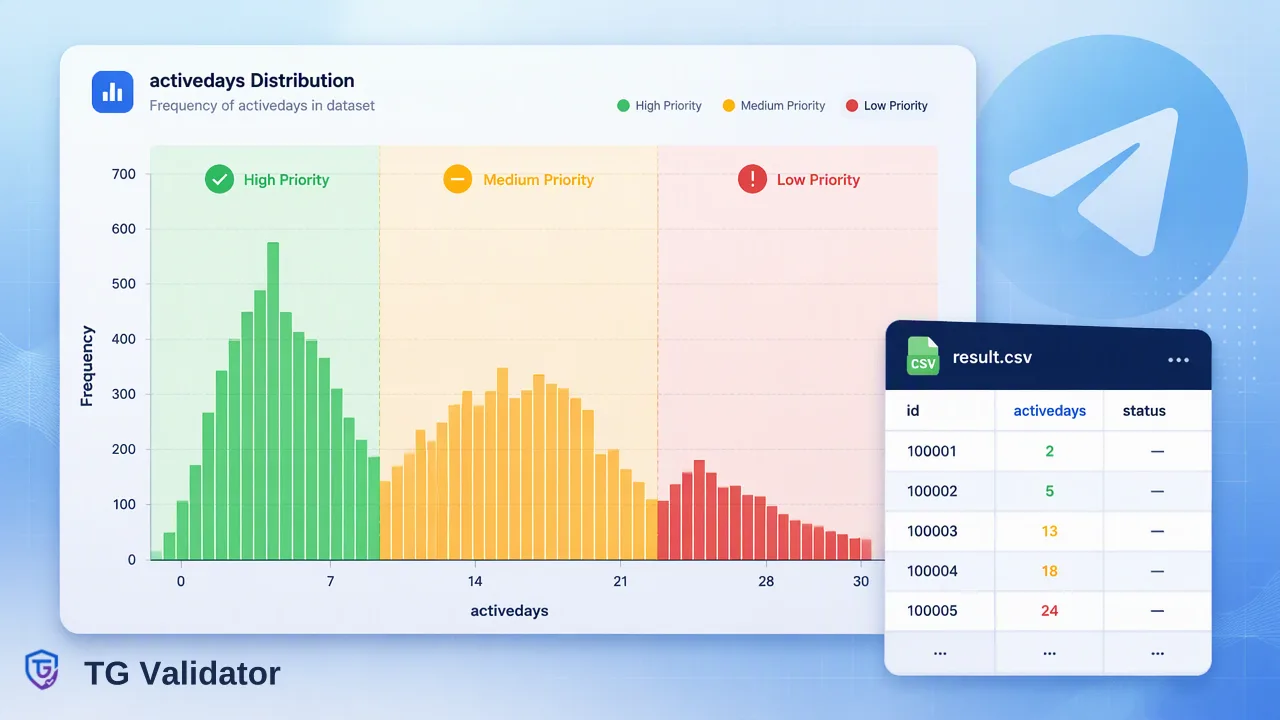
A practical explanation of the activedays value in bulk Telegram check results and how to use it as a prioritization signal.
Telegram active days, returned as activedays in certain bulk results, is the number of days since an account was last active. Telegram does not always expose an exact last-seen time, so the value can be approximate. Teams use it to sort registered numbers into fresher and older groups, not to confirm that a person is online or will reply.
What the activedays value represents
In TG Validator, activedays belongs to the bulk activity and profile products. It expresses days since last activity for an account that the check found registered. A low number suggests recent activity; a high number suggests the account has been quiet for longer.
The value is approximate when Telegram hides the exact last-seen time. Telegram's own help page explains the reason: users choose who can see their last seen status, and people who are not allowed to see it get only a rough band such as recently, within a week, within a month or a long time ago (Telegram FAQ). Because that privacy model blurs the underlying signal, treat activedays as a coarse ranking input rather than a precise timestamp.
Two boundaries keep the number honest:
- It is days since last activity, not live online presence.
- It is not part of the realtime single-number check, which returns Telegram registration status only.
Which bulk services return activedays
Activity data comes from specific asynchronous bulk service types. Choose the service by the question your team needs answered.
| Bulk service type | Input | What comes back |
|---|---|---|
| tg_batch | Phone numbers | Registration only |
| tg_active_batch | Phone numbers | Registration, uid, username and activedays |
| tg_profile_batch | Phone numbers | Adds avatar URL and avatar-based estimates |
| tg_username_batch | Usernames | Whether the username account exists |
| tg_username_profile_batch | Usernames | Adds uid, activedays and avatar URL |
If the list only needs a registered or not registered split, tg_batch is enough. If the team also wants to rank registered contacts by recency, use tg_active_batch for phone numbers or tg_username_profile_batch for usernames. Some columns in the result.csv depend on the service type and may be empty for a given row, so build downstream logic that tolerates blanks.
How to use activedays when prioritizing a list
The most useful pattern is to convert the raw number into a few buckets that your own team defines. The cut-offs below are examples of an internal choice, not a product rule.
- Recently active: a small number of days. Place these records first in a manual outreach queue.
- Moderately quiet: a middle range. Keep them in the normal queue with a lighter touch.
- Long inactive: a large number of days. Move them to a lower-priority or re-engagement list.
- Empty value: keep the record, mark it as unknown, and avoid treating it as inactive.
Because the number may be approximate, wide buckets work better than tight thresholds. Separating 3 days from 4 days would imply precision the data does not carry. Group by week or month instead, and review the distribution of a sample before applying it to the full list.
Also keep the registration result separate. A number that is not registered has nothing to rank, so remove it from the activity analysis and handle it through your normal contact-data workflow.
Common mistakes when reading activity data
Most problems come from asking the value to prove more than it can.
- Reading it as presence. A small number does not mean the person is online now or will answer a message.
- Reading it as identity. Neither activedays nor registration confirms who owns the account or whether they agreed to be contacted. Handle consent through your own process.
- Treating blanks as zero. An empty cell means the value was not returned for that row.
- Comparing against the realtime check. Realtime tg returns registration status only, so do not look for activity there.
- Over-engineering thresholds. Because the figure can be approximate, simple buckets are easier to defend and maintain.
Profile products add avatar-based estimates of age, gender and skin colour.
For billing and usage rules that apply to bulk tasks, read the current pricing page and the API documentation rather than relying on figures copied into other documents.
A simple workflow from upload to decision
Start by cleaning the list so each line holds one phone number or one username in a TXT or CSV file. Phone-number tasks need one country and international country codes, while username tasks need no country and accept names with or without the @ sign. Submit the file through the dashboard or the bulk tasks endpoint, poll the task no more often than once every 30 seconds, and download the single result.csv when the task reports success.
In a spreadsheet or script, filter to registered rows first, then group by activedays buckets. Compare bucket sizes, decide which groups deserve manual attention, and record the choice so the next list is treated consistently. Done this way, activedays helps inform prioritization while the limits of the signal stay visible to everyone using the result.
FAQ
Is activedays the same as being online now?
No. It is days since last activity for a registered account and may be approximate. It is not a live presence indicator.
Which bulk services include activedays?
tg_active_batch returns it for phone numbers and tg_username_profile_batch returns it for usernames. tg_batch returns registration only.
How can teams handle rows where activedays is empty?
Keep the row, label the activity as unknown and rely on the registration result. Avoid treating an empty value as proof of inactivity.
Why can activedays be approximate?
Telegram lets each user limit who sees their exact last-seen time, so the underlying signal can be a coarse band. Group records into wide buckets instead of tight thresholds.
Learn More
Choose the product information that fits the next step in your workflow.