
Telegram CRM Contact Enrichment: Adding Registration Data to Contact Records
Add a dated Telegram registration field to CRM contacts through the API for new records or a result.csv import for backfills, then use it as one routing input.
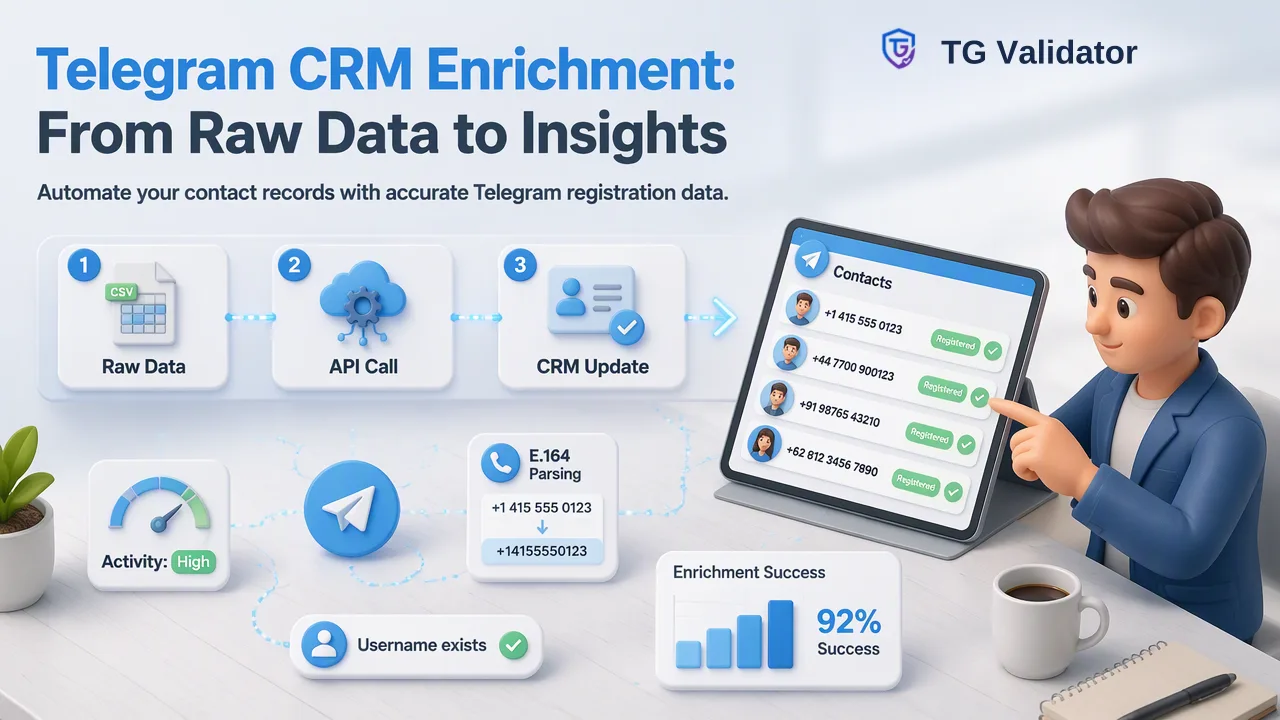
How sales and CRM teams add a Telegram registration field, and optionally username and approximate activity data, to existing contact records through API calls or a bulk result.csv import.
Telegram CRM contact enrichment means adding Telegram-related fields to contact records you already hold, most often a dated Telegram registration status for each phone number. With TG Validator, new or edited contacts can be checked through the same-response API, while an existing database can be backfilled by running a bulk task and importing its result.csv. The resulting field works best as one routing signal next to consent and engagement data, not as a verdict on the contact.
What Telegram CRM Contact Enrichment Covers
Search results for this keyword mostly describe CRMs built around Telegram conversations: tools that sync chats into a pipeline and attach message history to a deal. That is useful when a sales team already talks to prospects on Telegram, but it does not help a team that holds thousands of phone-based records and wants to know which of them have a Telegram account before planning any channel.
This guide covers the second case: enriching records you already hold with a small set of dated fields. It does not involve reading chats, contacts, groups or private profile content. The enrichment answers narrow questions:
- Does this phone number have a Telegram account at check time?
- If the team runs a bulk activity task, what username and approximate days since last activity were returned?
- When was that information produced, and by which workflow?
Keeping the scope this narrow makes the data easier to explain to sales reps, easier to refresh, and easier to justify under data protection rules.
Designing the CRM Fields Before Any Check
Decide where results will live before running the first check. A field design that is planned up front avoids free-text notes that nobody can filter later.
| CRM field | Suggested type | Values or content | Filled by |
|---|---|---|---|
| Telegram registration | Picklist | Registered, Not registered, Not checked, Could not be decided | API check or bulk import |
| Telegram check date | Date | Date the result was produced | Same step as the result |
| Telegram check source | Picklist | Single check, API batch, Bulk file | Integration or import mapping |
| Telegram username | Text (optional) | Username returned by a bulk activity task | Bulk import only |
| Telegram activity band | Picklist (optional) | The team's own bands built from activedays | Bulk import plus a formula or workflow |
Two design choices pay off later. First, keep "Not checked" and "Could not be decided" as separate values from "Not registered"; merging them hides records that simply need another attempt. Second, store an activity band instead of a raw day count when the CRM is used by people who will read the number as precise. activedays is approximate, so a band communicates the right level of confidence.
Normalize Phone Numbers First
Enrichment quality depends on the phone field more than on the check itself. The single-number check accepts one E.164 number: a plus sign, the country code and the national number, with no spaces, punctuation or trunk prefix. CRM phone fields often hold local formats such as 07700 900123, extensions, or two numbers in one cell.
A practical sequence:
- Copy the phone field to a working column rather than overwriting the original.
- Convert each value to E.164 with a parsing library such as Google's libphonenumber, using the record's country as the default region.
- Flag values that fail to parse and leave their Telegram field as "Not checked".
- Deduplicate on the normalized number so the same phone is not checked several times for duplicate contacts.
This step also decides which records go into which bulk file, because phone-number bulk tasks are created for one selected country.
Path A: API Enrichment for New and Updated Contacts
For records created by forms, imports or sales reps, the same-response REST API fits naturally into a CRM workflow or middleware step.
- One contact: send the normalized number to POST /api/v1/check with the X-API-Key header and service type tg. The response arrives in the same session, so the workflow can write the Telegram registration field immediately.
- Small groups: POST /api/v1/batch-check accepts up to 100 numbers in one request, which suits a nightly job that picks up contacts changed that day.
- Undecided checks: a check that cannot be decided returns a non-zero business code and no completed result. Write "Could not be decided" with the date and retry later instead of recording a negative value.
The current API documentation describes per-user concurrency and timeout controls: five checks in flight at once, 60 seconds for a single check, 300 seconds for a multi check, and one multi check per account at a time. A queue that respects those limits, with backoff on timeouts, avoids error bursts. No per-minute request-rate limit is published, so the integration should follow the documented controls rather than an assumed rate. Every completed check is charged whether the result is positive or negative, so triggering checks only when the phone field actually changes keeps usage proportional to real edits.
Path B: Backfilling Existing Records with a result.csv Import
For a large existing database, an asynchronous bulk task is the better fit. It is an upload-wait-download workflow, separate from the same-response API.
- Export the normalized phone numbers for one country, together with the CRM's unique record key, into a working sheet.
- Build the upload file with one phone number per line (TXT or CSV) and no other columns.
- Choose the service. tg_batch returns registration only. tg_active_batch adds username, a numeric Telegram user identifier and activedays, which supports an activity band. Choose the smaller service when activity is not needed.
- Submit and poll through the dashboard Bulk Check area or POST /api/v1/bulk-tasks, then check GET /api/v1/bulk-tasks/{id} no more than once every 30 seconds.
- Download result.csv when the task reports success. It contains identifier and activated columns plus service-specific columns, some of which may be empty.
- Join result.csv to the working sheet on the phone number, so each row regains its CRM record key.
- Import as an update. In HubSpot, for example, imports match existing records by a unique identifier such as the record key or email, and an "update existing only" option keeps the import from creating new contacts.
Records whose numbers were not included in the task keep "Not checked", which makes coverage gaps visible in reports.
Using Telegram Enrichment as a Routing Signal
Once the fields exist, they can inform list views, workflows and rep queues. Typical uses include:
- Channel planning: build a view of contacts with a positive Telegram registration result and documented consent for Telegram outreach, and keep other records in email or phone sequences.
- Data quality reporting: track the share of records that are "Not checked" or "Could not be decided" by source, which often reveals forms that collect badly formatted numbers.
- Prioritising follow-up: combine the activity band with CRM engagement history, so a long-quiet account with no recent replies is reviewed before it receives another sequence step.
The registration field is an account-presence signal at check time. It informs routing but does not establish who uses the account, whether the contact agreed to Telegram messages, or whether they will reply. Workflows should therefore pair it with the consent field the team already maintains rather than treat it as permission.
Keeping Enriched Fields Accurate Over Time
Enrichment data ages. People change numbers, and Telegram deletes accounts after a user-adjustable period of inactivity. Article 5 of the GDPR asks that personal data be limited to what is necessary and kept accurate and, where necessary, up to date, which in CRM terms translates to a few habits:
- Refresh on change: re-check automatically when the phone field is edited.
- Refresh on schedule: re-run the bulk task before major campaigns or on a fixed cycle for records that are still in active pipelines.
- Expire old values: a workflow can reset the registration field to "Not checked" once the check date passes the team's chosen age.
- Collect less: skip avatar and profile estimates unless a documented process uses them; tg_profile_batch values for age, gender and skin colour are estimates, not verified identity.
Dashboard check history and usage reports help reconcile what the CRM shows with what was actually checked. Teams testing the setup can contact support after registering to receive 100 free checks, and current plans are listed on the pricing page.
FAQ
How can teams add Telegram data to CRM contacts without syncing chats?
Check each contact's normalized phone number with the same-response API, or run a bulk task and import its result.csv, then write the outcome to a dedicated Telegram registration field with a check date. No chat history or contact lists are involved.
Which TG Validator service fits a one-time CRM backfill?
tg_batch fits when only registration is needed. tg_active_batch fits when the team also wants a username and approximate days since last activity for an activity band. Both run as asynchronous file tasks for one selected country per phone file.
What should the CRM record when a check cannot be decided?
An undecided check returns a non-zero business code rather than a completed result. Store a separate value such as "Could not be decided" with the date and retry later, so the record is not mistaken for a contact without Telegram.
How often should Telegram enrichment fields be refreshed?
Refresh whenever the phone number changes, and re-run checks before major campaigns or on a regular cycle for records still in use. Expiring values after a chosen age keeps reports from relying on old results.
Learn More
Choose the product information that fits the next step in your workflow.