
Product guidance
Optimizing B2B Lead Qualification with Telegram Registration Verification
Learn how to integrate TG Validator's synchronous API into CRM workflows for Telegram registration checks, including concurrency limits and dashboard reporting.
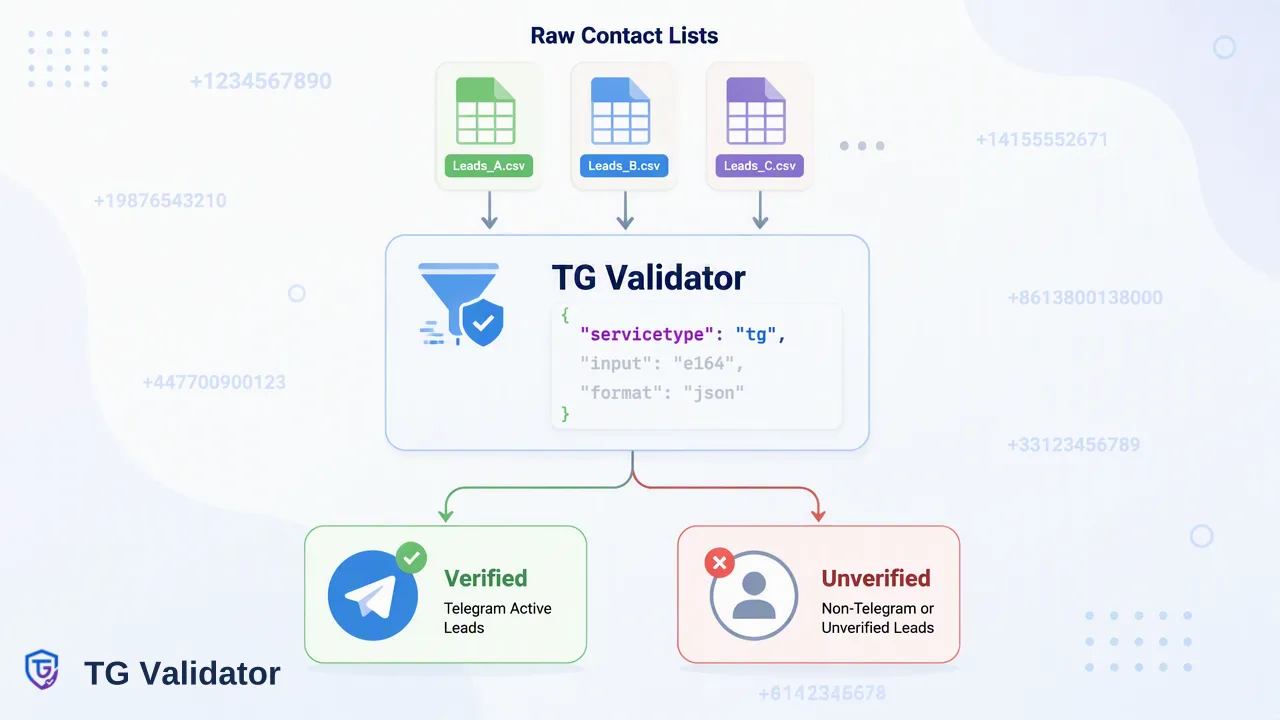
Learn how to integrate the TG Validator synchronous API into CRM workflows to verify Telegram registration status, manage concurrency limits, and monitor usage via the developer dashboard.
Integrating TG Validator into your CRM supports real-time verification of Telegram account presence. By using the synchronous REST API, developers can submit E.164 formatted phone numbers to receive immediate registration status. This signal helps qualify leads by confirming account existence at the time of the check, while built-in dashboard tools provide necessary oversight for API usage, balance, and historical reporting.
The Role of Telegram Verification in B2B Workflows
B2B sales operations managers and CRM administrators frequently manage extensive contact lists that require accurate segmentation. Integrating Telegram user verification into a CRM helps teams route records and informs review processes by confirming whether a phone number is associated with a Telegram account. TG Validator provides a synchronous registration status check specifically for Telegram. When a CRM submits a phone number, the system returns a same-response result indicating account presence. This synchronous workflow allows CRM platforms to immediately tag or route records without waiting for asynchronous callbacks or polling mechanisms. It is critical to define the boundaries of this signal. A registered result reports Telegram registration status at the time of the check. It serves as a focused account-presence signal that can be one input alongside other checks in a broader lead qualification workflow. By isolating this specific data point, CRM workflows can segment contacts based on platform presence without relying on assumed contactability.
Technical Integration: API Contract and Requirements
Implementing the TG Validator API requires adhering to a strict synchronous request flow. Developers must configure their CRM middleware to send a POST request to the /api/v1/check endpoint. Every request must include the X-API-Key header and a Content-Type: application/json header.
The JSON payload requires two specific fields: service_type set to "tg" and an identifier containing the phone number. All submitted phone numbers must be formatted according to the E.164 standard (for example, +17253100591).
For a completed Telegram check, the returned data contains only service_type, identifier, and registered; internal record, transaction, status, and billing fields are not returned.
Managing API Performance and Concurrency
To maintain stable CRM operations, developers must design safe client-side handling that respects the documented API usage controls. TG Validator enforces usage limits per user, including a strict cap on concurrent checks; the API documentation carries the values that apply today. CRM systems processing lists of leads must implement throttling or queuing mechanisms to ensure they do not exceed these thresholds during automated workflows. If a CRM integration exceeds these limits, the API will return specific error codes indicating that all concurrency slots are occupied or that the check ran out of time. Concurrency rejections and timeouts are not charged and create no check result. Robust error handling should also account for other documented error codes. The API provides distinct codes for an unsupported service type, an invalid JSON body, an invalid phone number, a missing or invalid API key, insufficient balance, and validation service maintenance. Properly mapping these error codes within the CRM ensures that administrators are alerted to configuration issues or balance depletion without interrupting the broader lead qualification process.
Monitoring and Operations via the Dashboard
Beyond the API integration, CRM administrators and sales operations managers require visibility into system usage and expenditure. The TG Validator developer dashboard supports comprehensive oversight of the integration. Administrators can use the dashboard for API key management, ensuring that credentials used by the CRM can be rotated or audited as needed. The interface provides detailed usage reporting, including check history, recent checks, balance spend, and account activity. This data helps teams monitor the volume of Telegram registration checks generated by their lead qualification workflows, reconcile balance spend against CRM activity, and adjust their CRM throttling rules if necessary. Review balance and check history in the dashboard; see the pricing page and API documentation for current billing rules.
FAQ
What does a 'registered' result from TG Validator indicate?
A registered result reports Telegram registration status at the time of the check.
How should phone numbers be formatted for the API?
All phone numbers submitted to the API must be in E.164 format. The JSON body requires the identifier field to contain this E.164 formatted number alongside the service_type set to "tg".
What happens if I exceed the API concurrency limit?
The API enforces per-user concurrency limits that are published in the API documentation. If these limits are exceeded, the API returns a specific error code. Concurrency-limit rejections are not charged and do not create a check result.