
Finding the Telegram Username Behind a Phone Number List
How teams add Telegram usernames to a phone number list with a bulk activity task, read the result.csv columns and handle empty usernames.
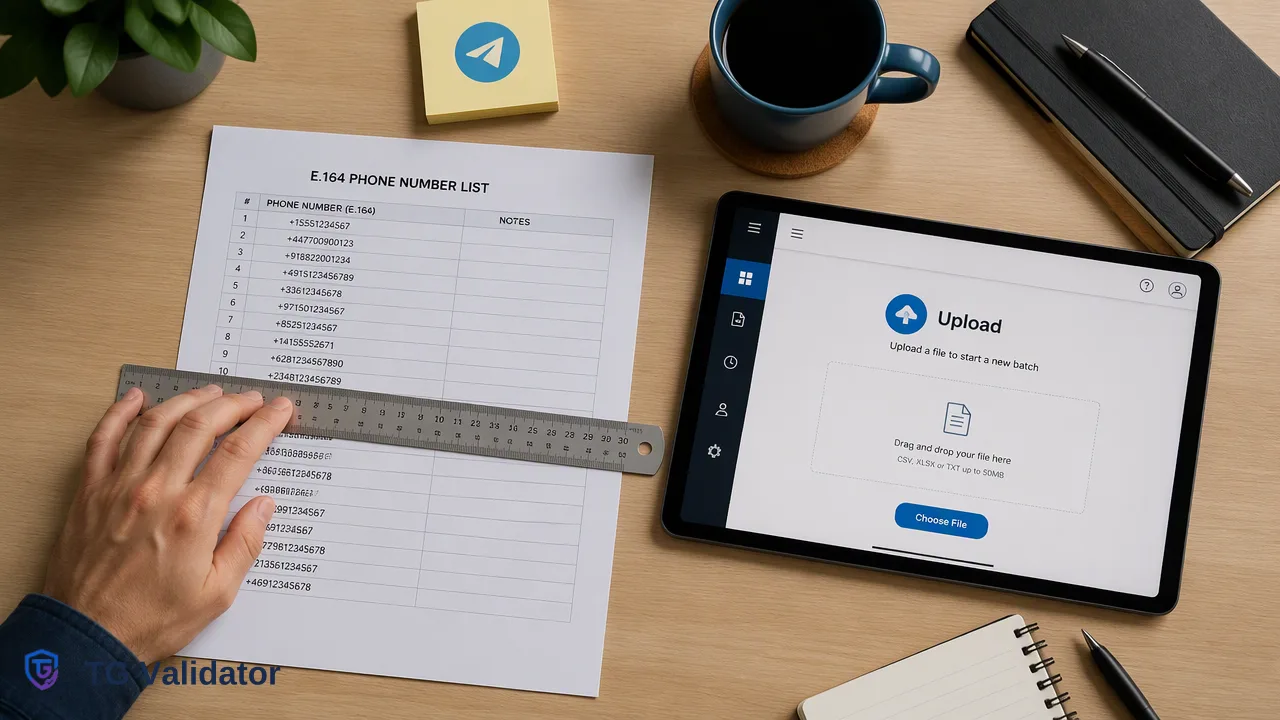
A guide to adding Telegram usernames to a country-specific phone number list with the tg_active_batch bulk service, including file preparation, result.csv columns, empty usernames and responsible use.
To find the Telegram username behind phone numbers in a business list, run the list through a bulk activity task such as TG Validator's tg_active_batch, which returns Telegram registration status plus uid, username and activedays for each number. The username column is empty whenever an account has no public username, because usernames are optional on Telegram. Treat the output as list enrichment for records the team already holds, not as a way to look up unknown people.
Why teams look for a Telegram username by phone number
Most guides for this phrase describe the consumer route: save the number in your contacts, open the profile in the app and read the username if one is shown. That works for one friend. It does not work for a CRM export of several thousand leads, and it routes business data through a staff member's personal address book.
Business teams usually have a different goal:
- Support teams want a username so agents can link to a customer's Telegram profile with a t.me link when the customer has asked to be contacted there.
- Community and growth teams want to match existing contacts to handles that already appear in their own groups or channels.
- CRM teams want a stable Telegram key next to each phone record so duplicates can be merged.
All three are enrichment jobs on records the organisation already holds. That framing matters for the method and for how the data is used afterwards.
How Telegram usernames and phone numbers relate
On Telegram, a phone number creates the account, while a username is an optional public handle. The Telegram FAQ explains that users do not need a username, can set or remove one in Settings, and can share t.me links so others reach them without seeing their number. Users also decide who can see their phone number and who can find them by it.
Two practical consequences follow:
- Many accounts have no username, so an empty username column is a normal outcome, not an error.
- Usernames can change or be removed. A handle captured today should carry the date it was captured.
The Telegram uid is different: it is the numeric account identifier and does not change when a username changes. That makes uid a better join key for deduplication than username.
Which TG Validator service returns usernames
The single-number Telegram Registration Check, in the dashboard or through POST /api/v1/check, returns Telegram registration status only. It is the right tool for deciding whether a number has a Telegram account, but it does not return usernames.
Usernames come from the asynchronous bulk activity service, tg_active_batch. For each phone number it returns:
| Column in result.csv | Meaning | Notes |
|---|---|---|
| identifier | The phone number as submitted | Use it to join back to the source list |
| activated | Telegram registration status | The same narrow account-presence signal as a single check |
| uid | Telegram numeric account identifier | Stable key for deduplication |
| username | Public Telegram username | Empty when the account has none |
| activedays | Approximate days since last activity | May be approximate when Telegram hides exact last-seen time |
Extra columns depend on the service type and may be empty for some rows. If the team also needs avatar URLs and avatar-based estimates, tg_profile_batch is the separate profile service; for this job, tg_active_batch is the focused choice.
Step-by-step: from phone list to username column
- Choose one country per file. Phone-number bulk tasks require one selected country, and the file should be essentially numbers from that country. If 10% or more of the numbers use other country codes, the file is rejected, so split mixed lists by country first.
- Normalize to international format. Use country codes as defined in ITU-T Recommendation E.164, remove trunk zeros, spaces and symbols, and deduplicate.
- Save as TXT or CSV with one number per line. Per-product limits on file size and entries apply; check the current API documentation.
- Create the task in the dashboard Bulk Check area or with
POST /api/v1/bulk-tasks, selecting tg_active_batch and the country. - Wait for the task to finish. The task reports processing, success or failed. When polling through the API, poll no more often than once every 30 seconds.
- Download result.csv and join it back to the source list on the identifier column.
Balance is reserved when the task is submitted. When the task completes, entries that returned results are charged and the unspent reserve is released; a failed task releases its full reserve.
Mainland China (+86), Hong Kong (+852) and Macau (+853) numbers are not supported in bulk file tasks, so keep them out of the upload.
Reading and storing the username results
Once result.csv is joined back to the list, sort rows into practical groups:
- Account present, username present. Store the username and uid in dedicated CRM fields with the task date.
- Account present, username empty. The account exists but has no public handle. Keep the uid for deduplication and leave the username field blank rather than inventing a value.
- No account. Mark the Telegram field and keep the number for other channels.
- Columns empty for other reasons. Some extra columns may be empty for some rows; treat them as unknown, not as zero.
A few storage habits prevent confusion later:
- Store usernames without the leading @ and normalise to lowercase, since Telegram usernames are case-insensitive.
- Key merges on uid where present, because a username can be changed or released.
- Keep activedays as an approximate value with its date; it describes days since last activity, not whether the person is online now.
- Refresh enrichment on a schedule that fits the workflow instead of treating one run as permanent.
List enrichment, not a person lookup
A username tells a team which public handle is attached to a Telegram account for a number it already holds. It does not reveal who holds the phone, does not confirm that a lead is who they claim to be, and is not permission to message them.
Responsible teams set a few internal rules before running enrichment:
- Only enrich numbers collected for a purpose that covers Telegram contact or support.
- Limit the columns kept to what the workflow uses. UK ICO guidance on data minimisation asks for personal data to be adequate, relevant and limited to what is necessary.
- Correct or remove outdated values, in line with the ICO's accuracy principle.
- Respect users who chose not to set a username; an empty field is their choice, not a gap to fill by other means.
These rules are examples of internal policy, not legal advice for a specific jurisdiction.
FAQ
Why is the username column empty for some numbers that have a Telegram account?
Usernames are optional on Telegram. When an account has no public username, tg_active_batch still reports registration status and other available columns, but the username column stays empty.
Can a single-number check return a Telegram username?
No. The single-number Telegram Registration Check returns registration status only. Usernames, uid and activedays come from the tg_active_batch bulk service.
How can teams use usernames they already hold to enrich records?
When the starting list contains usernames rather than phone numbers, the separate tg_username_batch service checks whether those usernames belong to existing accounts, and tg_username_profile_batch adds uid, activedays and avatar URL. Username tasks need no country and accept handles with or without @.
Should a team key CRM records on the Telegram username or the uid?
The uid is the better key because it stays the same when a user changes or removes a username. Store the username as a display field with the date it was captured.
Learn More
Choose the product information that fits the next step in your workflow.