
TG Registration Status: What Registered on Telegram Means
TG registration status tells a team whether a submitted phone number has a Telegram account at check time and how to use that signal carefully.
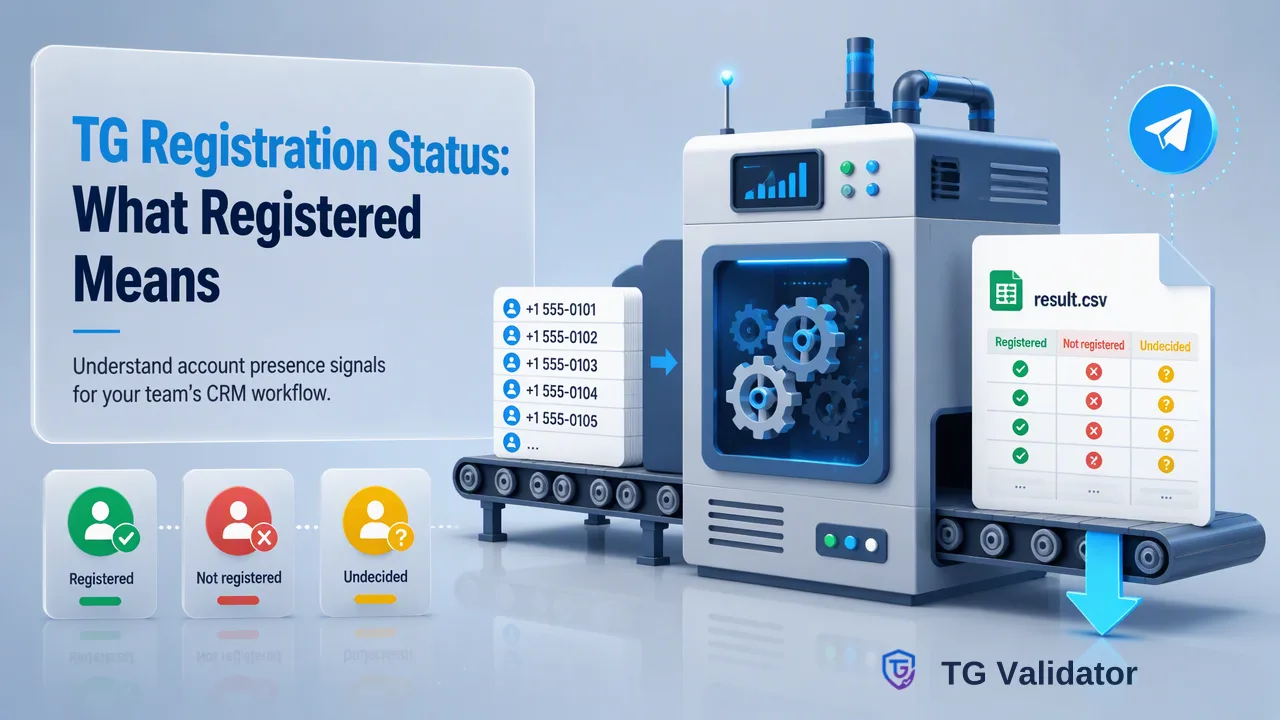
TG registration status tells a team whether a submitted phone number has a Telegram account at check time and how to use that signal carefully.
TG registration status is an account-presence signal for a submitted phone number at the time of a check. A registered result supports a decision about which records to review or route for a Telegram-oriented workflow; a not-registered result supports a different route. Neither result identifies the person behind the number or says whether they want a message. An undecided check should remain separate from both decided outcomes.
What TG registration status actually answers
A phone number can be stored in a CRM without any reliable information about whether it is associated with a Telegram account. A registration check addresses that narrow gap: for the submitted number, is an account registered on Telegram at check time? TG Validator's realtime single-number Telegram Registration Check is designed for this question. It accepts a number in E.164 international format and returns a same-response result when the check is decided.
This answer is about account presence, not a profile or a person. Telegram's own FAQ describes phone-number privacy settings and explains that people can be contacted in several ways, but it does not turn possession of a number into proof of who controls an account. A team should keep its existing source and consent records separate from the registration result. If the number came from a customer form, the form record explains where it came from; a platform check adds only its own platform-specific signal.
The time of the check matters. Accounts and phone-number associations can change. Record when the check occurred and avoid describing an old result as a permanent account attribute. A later workflow may need a fresh check if the earlier result is no longer suitable for its decision.
Interpret registered, not registered and undecided separately
A decided registered result means the submitted number had a Telegram account according to the check at that point. It can help a CRM team put the record in a review group for Telegram-related channel planning. It does not show activity, a live session, an open chat, permission to contact the account, or a likely response. No conversion or delivery outcome follows automatically.
A decided not-registered result means the check did not find a registered Telegram account for that submitted number at that point. It should not be silently converted into “invalid phone number.” The number might still be usable in another channel, subject to the team's separate data and permission checks. Keep the wording in the CRM specific: “Telegram registration not found at check time,” rather than a general statement about the person or phone line.
An undecided check is neither a positive nor a negative finding. TG Validator reports an undecided check with a non-zero business code and without a completed result object. In an operational workflow, route that record to a retry or manual-review state under the team's own policy. Do not put it in the not-registered segment merely because no affirmative result was returned. Separating the three states prevents a technical inability to decide from becoming a false business conclusion.
Use the signal in a bounded contact workflow
A practical workflow starts with a known reason to hold the number. The team validates the number's formatting, submits it for a registration check and stores the decided outcome with a check date. It then applies a documented routing rule. For example, registered records might receive an internal flag for an operator to consider a Telegram channel, while not-registered records remain in the team's ordinary channel review queue. Any outreach still depends on independent permissions and platform rules.
| Check outcome | Safe operational interpretation | Useful next step |
|---|---|---|
| Registered | Telegram account presence at check time | Review channel suitability and existing contact permissions |
| Not registered | No account presence found for the submitted number at check time | Keep other channel decisions independent |
| Undecided | No completed registration conclusion | Retry or review under team policy |
Avoid labels such as “verified user,” “active lead” or “reachable customer.” They claim more than the check supplies. If a teammate needs to know whether a contact replied, that belongs to the team's own conversation record, not the registration check. If the goal is identity verification, use an identity-specific process rather than relabeling account presence as identity evidence.
Choose the appropriate TG Validator workflow
For one phone number, the dashboard's Single Check or the realtime REST check is the direct path. A small set can use the same-session batch check: the REST batch request accepts up to 100 submitted numbers, while the dashboard Realtime Batch Check accepts up to 500 pasted numbers per run. These are still realtime workflows that return in the same session, rather than tasks that must be polled later. Choose based on the operator's working surface and the actual list size.
Much larger prepared lists use separate asynchronous bulk file tasks. The team uploads a TXT or CSV with one identifier per line, waits for the task to finish, then downloads a result file. That is a distinct process with its own input and regional rules; it should not be described as the behavior of the realtime check. For current limits and setup details, consult the TG Validator API documentation. The number format should be checked before either route is used.
Keep the result's meaning the same regardless of working surface. A dashboard, REST integration or bulk file does not make registration a statement about identity, consent or online activity. The operational record should still show the source number, chosen check, date, outcome and the team's subsequent decision separately.
Explain status to colleagues without overstating it
A good field description is brief: “Telegram registration result for this submitted number, checked on this date.” Add an explicit undecided state. Put channel permissions and customer identity in their own fields, with their own sources. This makes the data easier for sales, support and compliance reviewers to interpret correctly.
Before acting on a large segment, sample several records and check whether the phone numbers were normalized correctly. A missing country code or a national-format trunk prefix can cause a formatting problem before any registration conclusion is possible. Also check whether the intended phone number still belongs to the same contact record. A perfectly parsed check for the wrong number is not useful.
Finally, make the review rule reversible. If an operator learns that a number has changed or a record was merged, preserve the original check date and run an appropriate new check rather than editing the old outcome as though it never happened. That preserves a clear distinction between a historical signal and the current decision.
FAQ
How can teams use a registered result in a CRM?
Store it as a dated Telegram account-presence signal and use it to inform a separate channel review. Keep contact permissions and identity records independent.
What should teams do with an undecided check?
Keep it in a separate unresolved state and follow a documented retry or review policy. It should not be treated as not registered.
Does a not-registered result make a phone number invalid?
No. It reports only that a Telegram account was not found for the submitted number at check time; other phone-number or channel questions require their own checks.
Learn More
Choose the product information that fits the next step in your workflow.